

GCP vs AWS Multi-Cloud Setup Cost Breakdown - gcp vs aws multi cloud cost
Running enterprise workloads across two hyper-scalers sounds great until the monthly bill arrives. If you don't calculate your total gcp vs aws multi cloud cost early, unexpected operational expenses will quickly destroy your infrastructure budget. Balancing Google Cloud Platform (GCP) with Amazon Web Services (AWS) requires a practical setup cost breakdown to keep engineering projects profitable. We've seen too many engineering teams jump into dual-cloud environments without estimating their true operational footprint. Managing multi-cloud spending is tough. Unexpected line items add up fast.
Running GCP alongside AWS is like renting two separate apartments in different cities. Each landlord charges different rates for power, parking, and maintenance. GCP excels at big data analytics and machine learning tools, while AWS dominates broad compute choices and legacy system integrations. Mixing both means your engineering team handles two identity frameworks, separate security policies, and fragmented monitoring dashboards. Without strict planning, your financial predictability vanishes. Silent network egress charges, misconfigured inter-cloud connections, and uncoordinated server reservations quickly inflate monthly invoices.
Table of Contents
- Navigating GCP vs AWS Multi Cloud Cost Complexity
- What Drives Core Multi-Cloud Cost Differences?
- Impact of Cross-Cloud Data Egress Fees
- Pricing Models: Reserved Instances vs Committed Use Discounts
- Centralized Governance in Multi-Cloud Cost Optimization
- Streamlining Budgets with Direct Cloud Deployment
- Allocating Workloads Between Cloud Providers
- Mastering Long-Term Financial Control
To regain financial control, enterprise leaders need structured infrastructure blueprints that prevent waste. Relying on verified infrastructure setups like authentic Cloud Deployment solutions from InDevXo helps IT managers launch pre-configured multi-cloud environments directly from the provider without paying middleman markups. Taking a direct deployment route stops budget overruns before they start. It gives technology leaders clear oversight over their long-term gcp vs aws multi cloud cost trajectory while maintaining engineering agility across both platforms.
What Drives the Core GCP vs AWS Multi Cloud Cost Differences?

When you build across two major providers, small architectural choices ripple into your monthly invoice. Calculating your gcp vs aws multi cloud cost baseline requires looking beyond advertised hourly rates. You need to inspect how each cloud provider measures CPU seconds, packages memory ratios, and charges for digital hard drives.
Key Infrastructure Drivers in GCP vs AWS Multi Cloud Cost Calculations
AWS charges for Elastic Compute Cloud (EC2) and GCP charges for Compute Engine. Both offer per-second billing for Linux instances with a one-minute minimum. The true variance comes from how they let you package resources. AWS relies heavily on fixed, pre-configured instance families like t4g, m6i, or c6i. If your application needs extra memory but low CPU, AWS forces you to step up to a larger instance size. You end up paying for CPU cores you never touch.
Google Cloud breaks this mold with custom machine types. You can assemble exact combinations of vCPUs and memory for your workload. Think of AWS like buying pre-packaged meal combos at a fast-food drive-thru. GCP acts more like a custom salad bar where you pay only for the exact grams of toppings you select. Cloud bills add up fast when you buy unused capacity.
| Pricing Dimension | Amazon Web Services (AWS) | Google Cloud Platform (GCP) |
|---|---|---|
| Compute Sizing | Fixed instance families (e.g., m6i.large). Stepping up requires doubling your hardware capacity. | Custom Machine Types allow flexible, fine-grained vCPU and RAM ratios. |
| Billing Granularity | Per-second billing (60-second minimum) across Linux and Windows EC2 instances. | Per-second billing (1-minute minimum) across all Compute Engine virtual machines. |
| Block Storage Engine | EBS (gp3, io2). Storage capacity and IOPS speed are provisioned separately on demand. | Persistent Disk (pd-balanced, pd-ssd). Performance scales automatically based on disk size. |
Field Note on Storage Costs: AWS Elastic Block Store (gp3) lets you scale storage capacity independently from IOPS performance. GCP Persistent Disk ties baseline speed directly to the volume size you purchase. If you need high IOPS on GCP, you might have to buy larger drive volumes than you actually fill, altering your operational spend.
Deploying infrastructure across multiple providers often leads to over-provisioned resources and budget drift. To streamline your setup and keep your infrastructure spend fully predictable, we recommend deploying workloads using our direct InDevXo Cloud Deployment solution. It delivers direct-from-provider orchestration so your teams deploy pre-optimized compute configurations without manual guessing.
To evaluate base rates against your target region, review the official AWS EC2 compute pricing documentation alongside the published GCP Compute Engine pricing schedule.
How Does Memory-to-CPU Ratio Impact Your Monthly Bill?
Memory pricing drives infrastructure variances faster than raw processor rates. AWS memory-optimized instances pair generous RAM with fixed vCPU counts. GCP lets you attach custom memory up to 8 GB per vCPU without forcing an upgrade to a higher server tier. Matching your application's actual memory footprint directly prevents paying for unneeded CPU cycles across your gcp vs aws multi cloud cost allocation.
How Do Cross-Cloud Data Egress Fees Impact Your Total Spend?
Data transfer fees act like an invisible toll booth between your cloud environments. You move a petabyte from Amazon Web Services (AWS) to Google Cloud Platform (GCP), and your monthly bill spikes without warning. Understanding how cross-cloud data movement drives up your gcp vs aws multi cloud cost requires looking past basic instance pricing. Bytes flowing out of a public cloud provider carry distinct price tags based on where they go and how fast they travel.
Analyzing Egress Rates for AWS and GCP Data Transfers
Sending data across the public internet sits at the top of the pricing ladder. AWS EC2 and Amazon S3 grant your account 100 GB of free egress each month. Once you clear that small threshold, internet data transfer out starts at roughly $0.09 per gigabyte. GCP follows a similar pattern. Google Cloud Compute Engine and Cloud Storage charge between $0.085 and $0.12 per gigabyte under their Premium Tier network. If your microservices on GCP Compute Engine need to query a database on AWS EC2 across the public internet, you pay that high rate on every outbound response packet.
| Provider & Source Service | Destination Type | Standard Internet Egress Rate | Dedicated Link Egress Rate |
|---|---|---|---|
| AWS (S3 / EC2) | External Cloud / Internet | $0.09 / GB (First 10 TB) | ~$0.02 / GB (Direct Connect) |
| GCP (Compute / Storage) | External Cloud / Internet | $0.085 - $0.12 / GB (Premium) | ~$0.02 - $0.05 / GB (Cloud Interconnect) |
| AWS (Inter-Region) | Another AWS Region | $0.01 - $0.02 / GB | N/A (Internal backbone) |
| GCP (Inter-Region) | Another GCP Region | $0.01 - $0.08 / GB | N/A (Internal backbone) |
Lowering GCP vs AWS Multi Cloud Cost with Direct Connections
Public internet transfers aren't just expensive; they're unpredictable. You can bypass public routes by setting up private connections like AWS Direct Connect and GCP Cloud Interconnect. AWS Direct Connect drops your outbound transfer costs to around $0.02 per gigabyte in North America. GCP Cloud Interconnect offers similar discounted rates for outbound bandwidth over dedicated fiber links. Combining these services with a cloud exchange broker creates a private bridge between clouds. You trade high variable egress rates for predictable link port fees and lower per-gigabyte costs.
Setting up these multi-cloud routing rules manually takes time and deep networking experience. Misconfigured route tables can accidentally dump private interconnect traffic back onto expensive internet gateways. Setting up an enterprise architecture using verified Cloud Deployment services directly from InDevXo helps teams avoid these routing traps, guaranteeing optimal cost structures right from the start.
Cloud vendors historically used steep egress penalties to keep data inside their walls. Recent market changes led hyperscalers like Amazon to adjust policies, detailed in the AWS official policy on data transfer waivers for full cloud exits. However, day-to-day operational syncs between clouds still trigger full egress rates.
What is the difference between inter-region egress and cross-cloud egress?
Inter-region egress happens when you transfer data between two regions inside the same provider, such as moving AWS S3 files from us-east-1 to us-west-2. That usually costs between $0.01 and $0.02 per gigabyte. Cross-cloud egress happens when data leaves AWS or GCP completely to go to another platform. This outbound traffic uses public internet or partner interconnects, triggering standard egress charges that can be four to nine times higher than internal region transfers.
To keep costs low, place analytical workloads close to your primary storage engines. If you store petabytes of raw data in AWS S3, running queries through GCP BigQuery without a dedicated pipeline will wreck your monthly budget. Process and compress data locally before shipping it across network boundaries.
Pricing Models Compared: Reserved Instances vs Committed Use Discounts
Discount Models That Shape Your GCP vs AWS Multi Cloud Cost
Unlocking discounts on cloud infrastructure feels a lot like buying in bulk at a wholesale warehouse. Commit upfront and your price drops. Buy too much, though, and unused capacity rots on your ledger. AWS and Google Cloud Platform tackle this balance with completely different playbooks. Mastering these commitment tiers is the fastest way to shrink your overall gcp vs aws multi cloud cost without sacrificing hardware performance.
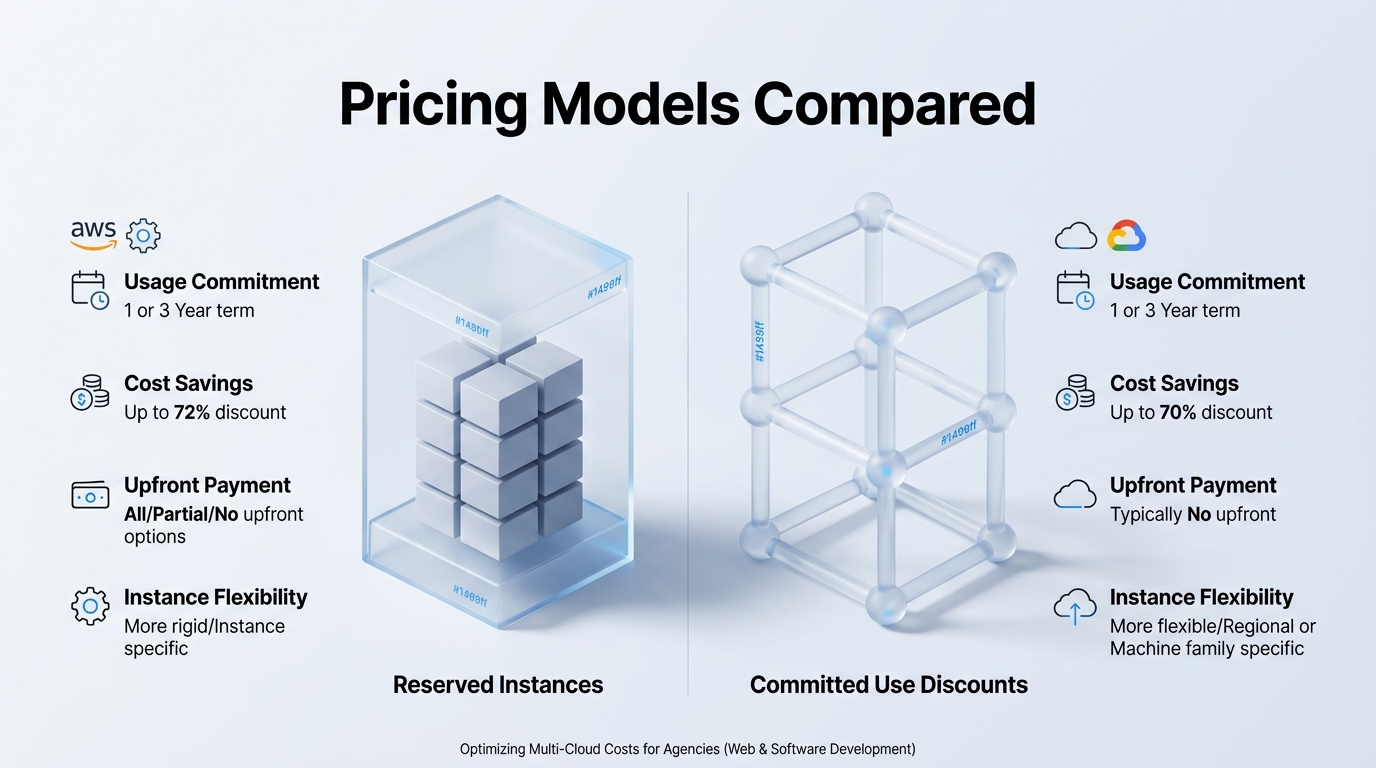
Amazon Web Services relies heavily on Reserved Instances and AWS Savings Plans documentation. Standard Reserved Instances require you to lock in specific virtual machine attributes like instance family, region, and operating system for one or three years. Shift your workload to a newer processor generation, and older reserved instances instantly become dead weight. AWS Savings Plans offer a more flexible path. They let you commit to a specific hourly spend across compute services. You get discounts up to 72%, but your financial risk stays tied to that exact hourly rate for the full term.
Google Cloud takes a far more relaxed approach with Committed Use Discounts and the GCP Sustained Use Discounts guide. Sustained Use Discounts kick in automatically. You don't sign a contract. You don't pledge a dollar amount. Run a virtual machine for more than 25% of a month, and GCP drops your base rate by up to 30% auto-magically. For deeper cuts, GCP offers Committed Use Discounts. You commit to raw vCPU and memory resources rather than rigid instance types. This gives you freedom to rebuild your server architecture without losing your discount tier.

| Discount Metric | AWS Savings Plans & RIs | GCP CUDs & SUDs |
|---|---|---|
| Automatic Savings | None (Requires manual commitment) | Up to 30% via Sustained Use Discounts |
| Max Discount Potential | Up to 72% (3-Year Standard RI / Compute Plan) | Up to 70% (3-Year Flexible CUD) |
| Commitment Scope | Hourly spend ($/hr) or specific instance types | Raw vCPU/RAM pools or hourly spend |
| Lock-in Risk | High on RIs; Moderate on Compute Savings Plans | Low on SUDs; Moderate on Flexible CUDs |
"Lock-in risk isn't just about financial penalties. It's about engineering speed. When teams get trapped in rigid three-year instance commitments, they stop upgrading their architecture."
Over-committing on either platform inflates your long-term total cost of ownership. Unused reservations quickly burn through engineering capital. Standardizing your setup early prevents these mismatched commitments. Leveraging official direct InDevXo Cloud Deployment solutions gives your infrastructure team clean provisioning guardrails right from day one. You deploy identical, production-ready infrastructure across environments. That makes it easy to measure baseline compute needs before signing multi-year spend contracts.
Q: Which cloud provider carries higher financial risk for fast-changing workloads?
AWS carries higher risk if you rely on traditional Reserved Instances. GCP cushions unexpected changes better because automatic discounts cover baseline usage while flexible commitment tiers apply to general resource pools rather than hyper-specific hardware configurations.
Choosing between these models boils down to predictability versus flexibility. If your application architecture stays identical for years, AWS standard commitments yield massive savings. But if your software stack evolves quickly, GCP offers smoother financial scaling. Managing both requires continuous oversight so you aren't paying for phantom servers on either side of the fence.
Why Does Multi-Cloud Cost Optimization Fail Without Centralized Governance?
Managing two major cloud platforms without unified rules quickly turns into a financial mess. Cloud bills don't merge themselves. When your engineering teams spin up instances across both Amazon Web Services and Google Cloud Platform, your financial team ends up parsing two completely different data schemas every month.
Dual Dashboards and the GCP vs AWS Multi Cloud Cost Blind Spot
AWS Cost Explorer and GCP Cloud Billing speak different languages. AWS structures spend around Cost Categories, Linked Accounts, and Cost Allocation Tags. GCP relies on Billing Accounts, Projects, and Resource Labels. Trying to calculate your total gcp vs aws multi cloud cost across both native dashboards is like managing two checkbooks in different currencies without an exchange rate table.
Field Reality: Context-switching between AWS Cost Explorer and GCP Cloud Billing drains hours of engineering bandwidth every month just reconciling basic tag mismatches.
This taxonomy gap creates huge operational overhead. Devs waste hours manually mapping tags from GCP BigQuery exports to AWS Cost and Usage Reports (CUR). Without unified tags, leadership only sees fragmented billing figures instead of clear workload unit economics.
| Billing Dimension | AWS Cost Explorer | GCP Cloud Billing |
|---|---|---|
| Primary Scope | Management Accounts & AWS Organizations | Cloud Billing Accounts & Hierarchical Projects |
| Categorization | Cost Allocation Tags (User & System) | Resource Labels & Key-Value Pair Metadata |
| Discount Models | Savings Plans & Reserved Instances | Committed Use Discounts & Sustained Use Discounts |
| Raw Data Export | AWS Cost and Usage Report (CUR to S3) | Standard/Detailed Cloud Billing Export (to BigQuery) |
Unallocated Resources, Tooling Complexity, and Shadow IT
Engineers often abandon storage volumes and IP addresses when shifting workloads. An unattached AWS EBS volume or an idle GCP Persistent Disk keeps charging your card indefinitely. These orphaned resources sit quietly in separate dashboards, accumulating monthly debt. Without central guardrails, nobody spots them until the quarterly budget audit arrives.
Duplicate software tools compound the waste. Teams frequently buy separate monitoring platforms, security scanners, and cost tracking agents for each provider. Paying twice for third-party platforms like Datadog observability suites or specialized FinOps software inflates your total spend far beyond raw compute fees.
Shadow IT thrives in unmonitored environments. Autonomous dev groups create isolated accounts to test features, bypassing standard procurement rules. These rogue environments skip volume discounts, run unoptimized instance sizes, and leave expensive infrastructure active over weekends.
Fixing this financial sprawl requires direct deployment controls right at the source. Standardizing your setup with direct InDevXo Cloud Deployment solutions gives your organization built-in guardrails from day one. You get authentic, provider-direct deployment templates that enforce unified tagging, block unallocated provisioning, and keep your total gcp vs aws multi cloud cost visible across every team.
How Direct Cloud Deployment from InDevXo Streamlines Multi-Cloud Budgets
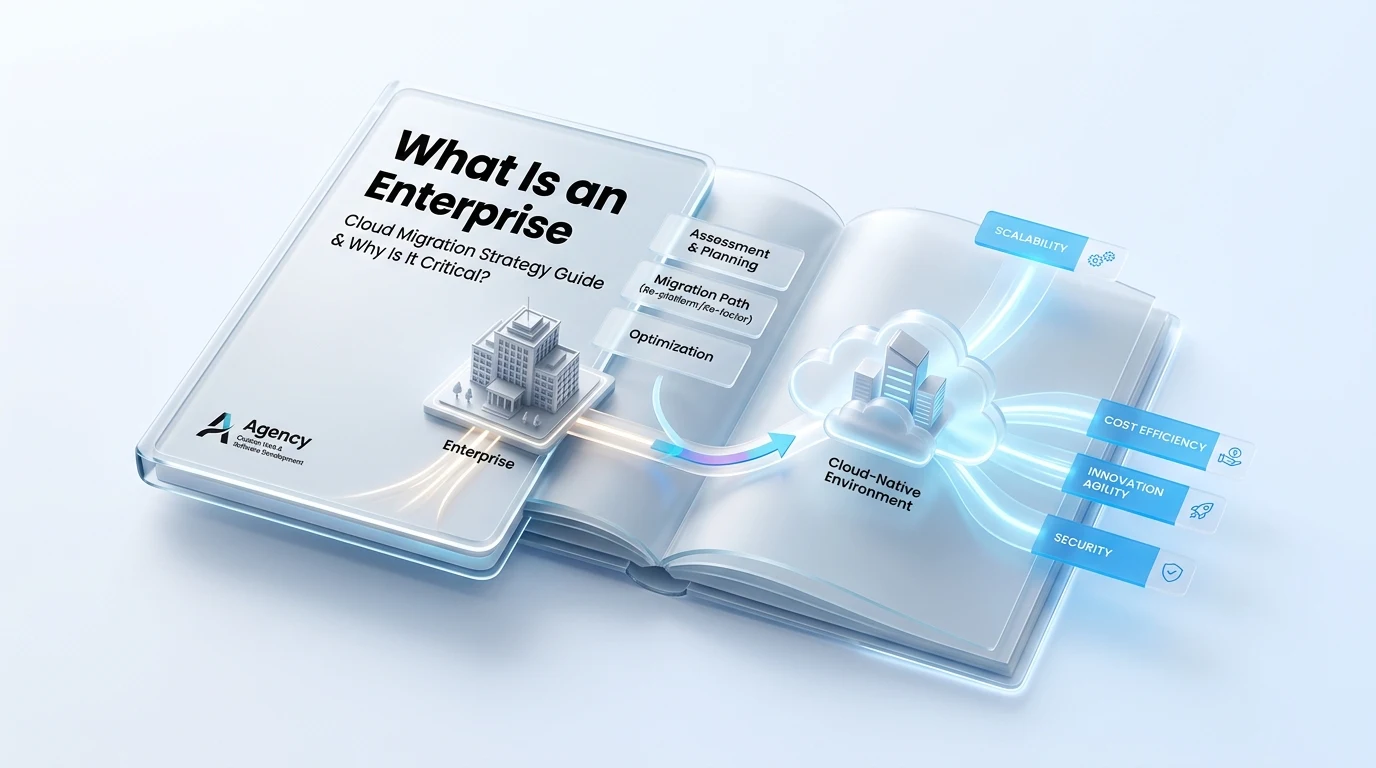
Setting up infrastructure across two cloud giants isn't just about spinning up virtual machines. It's about how those systems talk to each other without burning through your capital. Most engineering teams tackle cross-cloud setups manually. They configure AWS Virtual Private Clouds (VPCs) on Monday and set up GCP Virtual Private Cloud networks on Tuesday. By Friday, small setup errors start leaking money. Misconfigured routing rules, neglected snapshot schedules, and unattached block storage quickly balloon your month-end invoices.
Mastering Your GCP vs AWS Multi Cloud Cost with Direct Cloud Deployment
Fixing financial leaks after your infrastructure is live takes double the effort. That's why getting your environment provisioned right from day one matters. Our official InDevXo direct Cloud Deployment service eliminates the trial-and-error approach that inflates your budget. When you work directly with official deployment specialists, your architecture adheres strictly to vendor-certified blueprints on both AWS and Google Cloud. We align network topologies, set automated lifecycle policies, and enforce tagging rules right at launch.
Direct infrastructure provisioning prevents the hidden misconfigurations that cause up to 35% of cross-cloud billing surprises within the first quarter of deployment.
Think of multi-cloud setups like building a bridge between two cities. If the roads on either side don't align perfectly, traffic jams happen and gas gets wasted. In the cloud world, wasted gas means real dollars spent on unneeded data hops and idle compute instances.
While native tools like AWS Cost Explorer analytics and Google Cloud Billing export tools help you track spend after the fact, they don't stop bad design choices from driving up your bill in the first place. Direct deployment stops overspending before it starts.
A: Direct deployment enforces uniform Infrastructure as Code (IaC) across both environments. This eliminates orphaned resources, enforces reserved capacity where appropriate, and routes traffic over the most economical network paths automatically.
Choosing authentic, direct-from-provider InDevXo managed Cloud Deployment solutions guarantees that your infrastructure benefits from official provider standards. You get predictable billing, crystal-clear cross-cloud ROI, and structural stability across your entire tech stack.
Which Cloud Provider Allocation Strategy Fits Your Enterprise Workloads?
Balancing Workloads to Optimize Your GCP vs AWS Multi Cloud Cost
Modern IT strategies rarely stick to just one vendor. You've likely seen the market trends: enterprise demand for generative AI and real-time data streaming is pushing massive growth toward Google Cloud Platform (GCP). Meanwhile, Amazon Web Services (AWS) remains the heavy titan for deep enterprise legacy ecosystems, extensive computing services, and broad global footprint. Splitting workloads based on native strengths makes sense. But if you don't map your architecture carefully, cross-cloud communication will break your budget. Calculating your total gcp vs aws multi cloud cost requires aligning each engine with the right fuel.
AWS handles heavy enterprise applications, complex relational databases, and monolithic legacy migrations exceptionally well. Its vast ecosystem of EC2 instance types and mature Windows Server integration gives you granular control over compute resources. On the flip side, GCP leads the industry in container management with native Google Kubernetes Engine (GKE) and offers unmatched price-performance for big data analytics through BigQuery. To keep costs predictable, assign legacy transaction processing to AWS while channeling high-throughput analytics into GCP.
Here is how top engineering teams allocate standard enterprise workloads to maximize performance while minimizing raw expenditure:
| Workload Category | Recommended Provider | Primary Cost Savings Driver | Egress Risk Level |
|---|---|---|---|
| Big Data Analytics & AI | Google Cloud (GCP) | Serverless BigQuery queries and custom TPU pricing for machine learning. | High (if raw data stays in AWS) |
| Legacy Enterprise Apps & Active Directory | Amazon Web Services (AWS) | Deep Reserved Instance marketplace and broad EC2 hardware variety. | Low |
| Containerized Microservices | Hybrid (AWS EKS / GCP GKE) | Spot Instances on AWS combined with GCP autopilot cluster management. | Medium |
Think of data egress like toll bridges between neighboring cities. Moving data inside AWS or inside GCP is usually cheap or free. Crossing the river between GCP and AWS triggers heavy network data transfer fees. If your primary customer database lives in AWS RDS, but your analytics team runs GCP Vertex AI scripts against it millions of times daily, those hidden toll fees will dwarf your compute savings. Keep analytical compute right next to your primary data lake.

"Compute follows data. Move your lightweight analytical scripts to the location of your heavy data storage, never pump petabytes of raw data across cloud providers just to process a single report."
Managing multi-cloud architecture manually gets messy fast. Platform engineering teams often struggle to map unified visibility across disjointed vendor consoles. Dedicated third-party tools like Vantage cloud cost monitoring platforms help track cross-cloud spending spikes in real time. However, building multi-cloud infrastructure without proper architecture often introduces hidden setup errors and early budget overruns.
We've simplified this setup friction. With direct direct Cloud Deployment services from InDevXo, you get an authentic, official cloud architecture built to keep your overall multi-cloud setup cost breakdown transparent from day one. You don't have to guess where egress charges lurk or waste weeks configuring cross-provider network tunnels. We help you place every database, container, and AI model in its optimal home while keeping your total gcp vs aws multi cloud cost tightly controlled.
Mastering Long-Term Financial Control in Multi-Cloud Infrastructure
Balancing your gcp vs aws multi cloud cost isn't a set-it-and-forget-it task. Cloud pricing structures change fast. Virtual machine rates shift, data egress fees add up, and unused storage drives up monthly invoices. Winning the cloud cost game takes continuous monitoring and disciplined architectural governance across every cloud environment you run.
Modern engineering teams often get caught off guard by unpredictable bills. You can avoid this trap. Implementing dedicated FinOps platforms like the Vantage cloud cost management dashboard or the Kubecost open-source cost allocation tool gives you real-time visibility into complex deployments. These platforms show where every dollar goes. They track compute usage, monitor cross-cloud networking, and flag idle resources across Amazon Web Services and Google Cloud Platform simultaneously.
Smart governance stops budget overruns before they start. You need unified architectural control. That is where our official authentic Cloud Deployment solutions from InDevXo step in to streamline your operations. By automating provisioning and standardizing resource templates straight from the primary provider, we help you eliminate redundant infrastructure setups and enforce strict spend guardrails from day one.
"Effective cloud governance isn't about cutting essential compute power. It's about establishing clear visibility so your infrastructure scales cleanly alongside your bottom line."
Control your architecture. Don't let vendor billing traps dictate your technical roadmap. When you master your overall gcp vs aws multi cloud cost baseline, your engineering teams gain the freedom to build robust, high-performance applications without fear of quarterly financial surprises. Take charge of your cloud footprint, balance your reserved capacity with committed usage agreements, and establish a resilient multi-cloud framework built for long-term operational success.