

How to Build Autonomous AI Workflow Agents
Software automation used to mean writing stiff scripts that broke the second something unexpected happened. That's changing fast. Today, smart teams want to build autonomous ai workflow agents that can adapt, think, and handle complex jobs without constant hand-holding. When you learn how to build autonomous AI workflow agents, you turn simple webhooks into flexible systems that finish multi-step business tasks on their own. Let's look closer.
Table of Contents
- What Are Autonomous AI Workflow Agents and How Do They Think?
- Designing Custom LLM Workflows to Power Your Agent's Decision Engine
- How to Build Autonomous AI Workflow Agents Step by Step
- Mastering Autonomous Agent Orchestration Across Multi-Agent Networks
- Why Do AI Agents Fail and How Can You Build Effective Guardrails?
Old automation runs on fixed rules. If step B fails, the whole thing crashes. AI agents don't work like that. You just give an agent a goal (such as "find out why customers are leaving and write emails to bring them back"), and it figures out its own path to get there. It reads data, picks tools, reviews its own output, and fixes mistakes as it goes. We're seeing a huge shift away from basic linear scripts toward self-running systems that can make their own choices on the fly.
You need two main things to launch these self-running systems. First, you have to set up custom llm workflows. These give your model clear instructions on how to think, store memory, and grab outside data. Second, you need a solid setup for autonomous agent orchestration so your helper agents can share info and split up big projects. Makes sense. Many developers compare platforms like LangGraph for stateful agent workflows with CrewAI's role-based agent coordination. It usually comes down to what your design needs: fine-grained control over every step or a quick way to set up roles.
This guide covers how to design, connect, and run these smart systems from start to finish. You'll see how decision engines process information. We'll show you how to set up reliable tool pipelines, manage multi-agent networks, and keep everything safe. We'll also cover key guardrails so your autonomous digital workers stay on track and bring real value to your business. Here's the thing.
Old software was rigid. If one step broke, the whole pipeline crashed. That's changing fast. Now, engineering teams want to build autonomous ai workflow agents that think, adapt, and handle hard jobs without constant babysitting. Instead of writing brittle scripts that fail on edge cases, we can build digital teammates that figure things out and fix their own mistakes as they go.
Basic automation isn't cutting it anymore. Teams are moving past simple trigger loops and switching to smart systems that make their own choices. Open-source tools have exploded lately. Frameworks like CrewAI's multi-agent framework and LangChain's LangGraph platform let developer teams hand off entire business tasks to AI networks. It's that simple. You just set a goal, give them access to your APIs, and let the agents work out the details.
Table of Contents
- What Are Autonomous AI Workflow Agents and How Do They Think? (Overview)
- Designing Custom LLM Workflows to Power Your Agent's Decision Engine (Overview)
- How to Build Autonomous AI Workflow Agents Step by Step (Overview)
- Mastering Autonomous Agent Orchestration Across Multi-Agent Networks (Overview)
- Why Do AI Agents Fail and How Can You Build Effective Guardrails? (Overview)
Learning how to build autonomous ai workflow agents takes a solid plan. It's not as simple as typing prompts into a basic chat box. You have to combine clear decision logic, execution steps, and safety controls. We'll show you how to set up custom llm workflows, manage multi-agent setups with autonomous agent orchestration. Also, Put up real guardrails so your systems run safely around the clock.
What Are Autonomous AI Workflow Agents and How Do They Think?
Inside the Engine to Build Autonomous AI Workflow Agents
Standard software works like a train on a track. The train only goes where you laid the rails. If a fallen branch blocks the track, everything stops cold. AI workflow agents work more like a driver in a self-driving car. You give them an address. Also, They handle traffic, steer around construction, and park the car themselves.
When dev teams set out to build autonomous ai workflow agents, they quickly discover these systems don't run on straight lines. It's that simple. They don't just execute fixed, step-by-step code. Instead, an agent works inside a continuous loop. It looks at the situation, makes a practical plan, acts, checks what happened, and decides on the next step. It changes everything about how software gets work done.
How AI Agents Process Information: Perception, Reasoning, Tools, and Memory
To see how an agent makes decisions, let's peek under the hood. Just like any employee, a digital worker needs input, a brain to think, real tools. Also, A reliable memory.
- Perception (Sensory Input): How your agent sees the world. It takes in user prompts, emails, PDFs, API webhooks, or error logs. Then, it turns that messy raw data into neat, structured context the model can read right away. Makes sense.
- Reasoning (The Decision Engine): The language model acts as the brain. It breaks big business goals into small, clear steps using custom llm workflows. Give it a wide objective. Also, It maps out a plan using methods like ReAct (Reason and Act) before making a move.
- Tool Selection (Action Execution): Thinking isn't enough. Agents have to get work done. Tools give them real power: API calls, SQL queries, Python scripts, or web scrapers. The agent looks at what tools it has, picks the best one for the job, builds the right payload. Also, Runs it.
- Memory (Context Storage): Agents keep short-term memory inside their prompt window to follow current chats. For long-term memory, they turn to vector tools like the Pinecone vector database platform. This lets them look up past support chats, old bug fixes, or company rules whenever they need them. No guesswork.
The Core Agentic Loop: Goal Input &rarr. Environment Perception → Thought & Tool Selection → Action Execution → Observation → Self-Correction Loop.
Hard-Coded IF/THEN Logic vs Adaptive Goal Loops
Traditional automation runs on simple, hard-coded rules. If an email has the word "refund," a script sends auto-reply template #4. Easy enough. But what if a customer writes, "My package never arrived, so I want my money back. Still, I lost my receipt"? The old script fails. It either breaks completely or sends back a totally useless answer. It just can't adapt.
Autonomous agents work differently. They focus on goals instead of exact keyword matches. They look at what the user actually wants. If an API call drops or times out, the agent doesn't crash your server with an unhandled error. It reads the error message, pauses, tries a backup source, or updates its parameters to fix the issue on its own. It comes down to this.
| Capability | Traditional IF/THEN Automation | Autonomous AI Agents |
|---|---|---|
| Execution Path | Fixed and step-by-step | Flexible and self-directed |
| Error Handling | Fails when edge cases pop up | Fixes its own mistakes and tries new tools |
| Flexibility | Needs code updates for every new scenario | Handles surprising user requests on the fly |
| System Scale | Simple single-thread scripts or webhooks | Scales up through multi-agent autonomous agent orchestration |
Engineers have a few great architecture options when building these decision engines. Frameworks like the LangGraph stateful workflow platform give you graph-based control over how agents move between different steps. At the same time, systems like the CrewAI role-based coordination framework make it simple to split work across specialized agents (like researchers, writers. Also, Code reviewers). Either way, these tools help teams ditch fragile scripts and build reliable, flexible software.
Designing Custom LLM Workflows to Power Your Agent's Decision Engine
An AI agent is only as smart as the instructions you give it. Language models don't just make good decisions on their own. They need step-by-step guidance, clear rules, and live access to outside systems. Building custom workflows turns a random text generator into something you can actually rely on. Think of it like giving a smart intern a clear handbook (so they don't have to guess what to do next). Makes sense.
Using Prompt Chains to Build Better AI Workflows
Single prompts usually fail when a job gets too big. If you ask a model to read a customer complaint, fix a database bug, and send an email all at once, it will mess up. Don't do that. Break the work down instead. Prompt chaining splits a huge request into small, simple steps where the answer from the first prompt feeds right into the next one.
Picture an assembly line in a factory. First, the AI pulls error codes out of a log file. No guesswork. Next, it checks those errors against your internal docs. Finally, it writes a short summary for your developers. This keeps every prompt small, simple, and accurate.
Messy responses will break your code. If you need clean commands, don't let the model reply in plain paragraphs. Make it output standard JSON instead. Tools like the DSPy framework for prompt improvement can help you swap out long, fragile text prompts for clean code pipelines that improve over time. Makes sense.
{
  "task_type": "database_lookup",
  "search_query": "SELECT * FROM orders WHERE status = 'failed'",
  "confidence_score": 0.95
}
Memory: Giving Your Agent Long-Term Context
AI models forget everything the moment a task ends. They only remember what fits in their current window. But those context windows fill up fast: and they get expensive! You need a smart setup that grabs only the facts you need right when you need them. Let's be honest.
Hybrid memory is the best way to handle this. If you only use basic vector search, you'll end up with a lot of junk data. Mixing vector matches with simple keyword searches works much better. Vectors catch the main ideas, while keywords grab specific details (like account IDs, order numbers, or code functions). No guesswork.
Timing matters too. Old data will confuse your model. If a user updated their email address twice this week, your setup needs to grab the newest record. Using the LlamaIndex data framework for RAG systems makes it easy to organize your data, sort records by date, and send clean context right back to your model.
Connecting External Tools and APIs
How do you get an agent to actually take action? You hook it up to real tools. Doing this turns a basic chatbot into something that can actually run tasks for your business. Think about it.
Most good models use function calling now. You give the system a simple list of available tools with clear rules. Then, the model reads the request, picks the right tool. Also, Creates a JSON snippet to run that software command.
Standard Tool Execution Flow: User Request &rarr. Intent Parsing → Tool Selection → JSON Payload Generation → External API Call → Result Evaluation
If an API fails, a good workflow shouldn't crash your server. The model should just read the error, fix its inputs, or try a backup tool on its own. Using OpenAI function calling tools gives your system the right structure to run APIs safely. When you tie all these workflows together, your setup can handle real work from start to finish without needing someone to watch over it constantly. It's that simple.
How to Build Autonomous AI Workflow Agents Step by Step
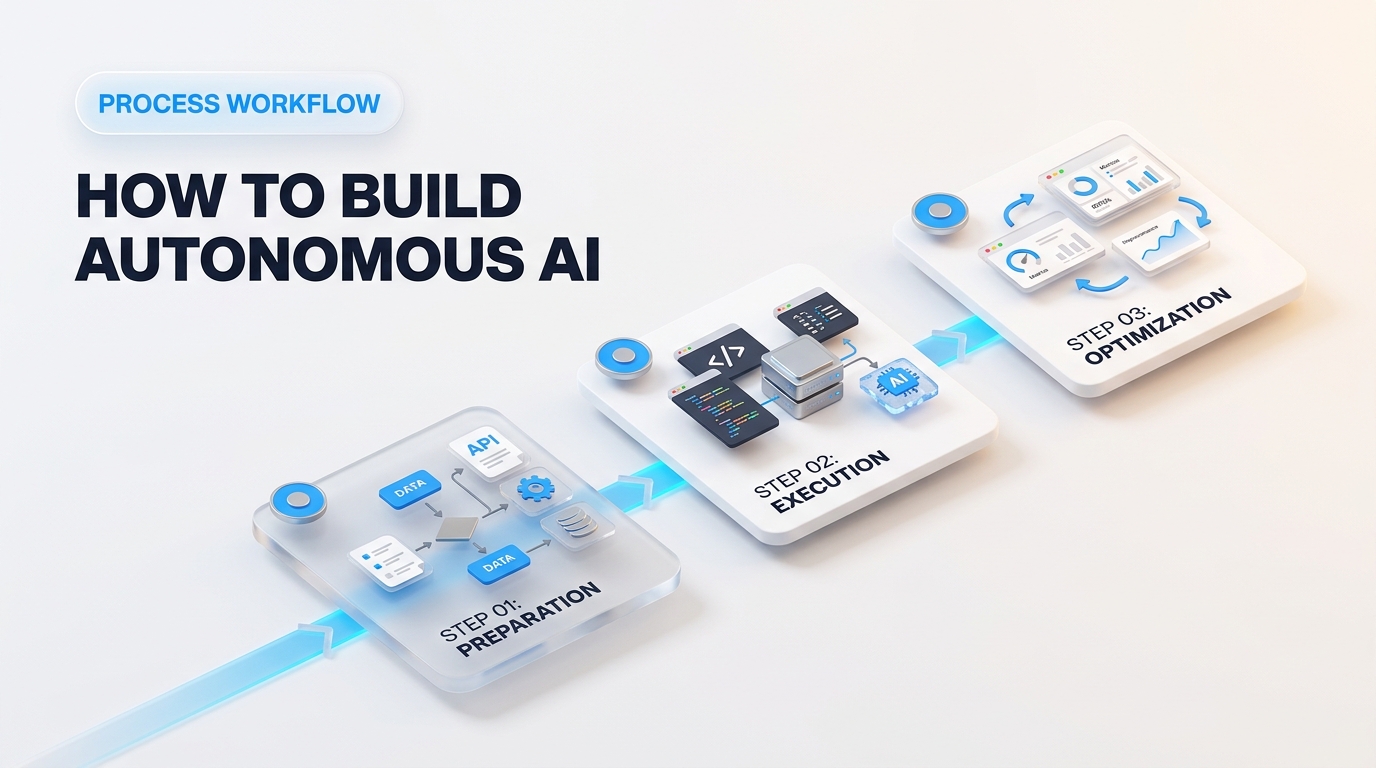
Building an AI agent is easier than it sounds. You don't need a computer science degree. You just need a clear plan, good tools, and the right setup. Most developers are moving away from basic chatbot prompts and switching to event-driven systems. This makes it much easier to build autonomous AI workflow agents that do real work without crashing all the time. Here's the thing.
Practical Steps to Build Autonomous AI Workflow Agents
Good systems follow a simple setup. If you skip steps, you'll end up with infinite loops and huge API bills. Makes sense. Here's a basic four-step guide to get your first system up and running.
Step 1: Define Clear Objectives and System Boundaries
Give your agent just one job. Focused agents work well. General-purpose ones usually fail. You need to write a system prompt that spells out the agent's exact role, goal, and strict limits. Treat this like writing a job description for a new worker. If you ask them to "handle office needs," they'll get confused. But if you tell them to "order paper when we have less than two boxes left," they'll get it right every time. Let's look closer.
System Prompt Example: "You are a customer refund assistant. Your only job is to check order IDs in our database and send refunds under $50. It's that simple. Never approve refunds over $50. Always send larger requests to a human manager."
Step 2: Select Your Developer Framework
Building everything from scratch takes way too long. Good frameworks give you memory, tool connections, and state management right out of the box. Look at GitHub today. Also, You'll see most people shifting to graph-based tools instead of simple step-by-step chains. Why? Developers want total control over how their loops run.
Here's how the top tools stack up for building custom LLM workflows:
| Framework | Primary Use Case | Core Advantage |
|---|---|---|
| LangGraph stateful framework | Complex loops and heavy-duty control | Full visibility into your state graphs with built-in options to pause for human approval |
| CrewAI multi-agent library | Multi-agent teams and quick prototypes | Super fast setup when you need agents to pass tasks back and forth |
Step 3: Register Tools and Environment Hooks
Without tools, an agent is just a standard chatbot. You need to connect Python functions or web APIs so your agent can take real actions. Makes sense. Make sure you write a clear, plain-English description for every tool. The AI reads those descriptions to figure out which tool it should use.
from langchain_core.tools import tool

@tool
def check_inventory(item_id: str) -> int:
    """Look up current stock levels for a specific warehouse item ID."""
    # Real database query runs here
    return warehouse_db.get_quantity(item_id)
Keep your tool inputs basic. If a tool needs a complex, multi-layered JSON setup, the AI will make mistakes. It's that simple. Stick to simple strings, numbers, and basic key-value lists whenever you can.
Step 4: Run Task Simulation Loops
Don't throw your agent straight to real users. Test it in a safe space first. Write a test script that gives your agent twenty sample tasks to solve. Pay close attention to how it handles odd problems: missing information, slow servers, or broken API connections. It's that simple.
Getting autonomous agent orchestration right comes down to reflection. Once your agent finishes a task, make it check its own work before giving you the final answer. Have it ask itself: "Does this answer meet every rule I was given?" If not, force it to go back and fix the plan. It comes down to this.
Testing in a private terminal window helps you catch endless loops before they cost you real money. Makes sense. It saves cash on API credits, and it keeps your live database safe from accidental changes.
Mastering Autonomous Agent Orchestration Across Multi-Agent Networks
Single agents hit a wall fast. Give one agent ten jobs at once, and it gets confused. It forgets early instructions, mixes up details, and burns through your token budget. Developers are now moving away from giant single prompts. Industry data shows multi-agent setups grow much faster in big companies because smaller, focused agents make fewer mistakes. Makes sense.
As your project grows, effective autonomous agent orchestration makes or breaks your pipeline. You are not managing a solo bot anymore: you are leading a digital workforce. It comes down to this.
Manager-Worker Delegation Patterns to Build Autonomous AI Workflow Agents
The safest way to structure multiple agents is the manager-worker pattern. Think of it like a normal office hierarchy. You have one central manager agent that receives the main goal from the user. It doesn't run web searches or write database entries itself. Its only job is to break big problems into small steps, hand out tasks. Also, Check the work.
Here's how that split works in real life:
- The Manager Agent: Takes the main task, creates a plan, assigns jobs. Also, Checks quality.
- The Specialist Workers: Single-purpose agents built with tight prompts and specific tools (like a SQL Query Agent or a Web Scraper Agent). Let's look closer.
- The Output Assembler: Combines all verified results into one clean answer for the user.
When you build autonomous AI workflow agents with Microsoft AutoGen, the manager sets up live chats between these specialized roles. It comes down to this. If a worker agent fails, the manager catches the error, rewrites the instructions, and hands it back for another try.
Industry Insight: Recent tests show that manager-worker setups cut task failure rates by over 40% compared to flat peer-to-peer setups. Centralized oversight keeps agents from chatting in endless loops.
Passing Messages Between Agents Without Losing Context
How do agents talk to each other? They don't use plain chat text. Sending full chat histories across five different agents will burn through your token limit in seconds. It's that simple. It also adds noise that leads to mistakes.
Modern setups use structured message passing instead. Agents exchange clean JSON data containing state updates, task statuses. Also, Exact outputs. Here's how different tools handle state across your custom llm workflows:
| Framework | Message Passing Model | Best Suited For |
|---|---|---|
| LangGraph state graph engine | Central Shared State Object | Strict, predictable business workflows with clear decision rules |
| CrewAI task delegation platform | Sequential and Hierarchical Task Memory | Quick builds where agents pass outputs straight down a pipeline |
Keep your messages light. When worker agents only get the exact data they need, your whole system runs faster and costs less. Let's be honest.
Resolving Disagreements When Agents Conflict
What happens when two agents give opposite answers? Imagine a financial tool where a Data Fetcher Agent says revenue grew by 10%. Still, A News Analyst Agent says revenue dropped. If both agents pass their answers up the chain, the system freezes or gives confusing advice.
You can fix this in three ways:
1. The Arbiter Agent (The Judge)
Create a judge agent whose only job is checking bad results. Give this judge strict rules for checking evidence. For example, the judge can trust raw API data from audited reports over text from news blogs. Think about it.
2. Confidence Scoring Systems
Make every worker agent output a numerical score with its answer. If your SQL agent gives an answer with 95% confidence and your scraper agent gives 60% confidence, the workflow automatically picks the higher score.
3. active Consensus Voting
For high-stakes tasks, run three worker agents to answer the same question on their own. It comes down to this. If two out of three agree, the manager accepts that answer. A simple majority vote stops random AI slip-ups.
Setting up clear communication rules like this will help you build autonomous ai workflow agents that scale smoothly from tiny scripts into reliable business systems. No guesswork.
Why Do AI Agents Fail and How Can You Build Effective Guardrails?
Even the best agent networks break. You can write great prompts and set up clean delegation patterns. Still, Real-world setups bring unpredictable edge cases. External websites go down. APIs throw weird errors. Models misread basic context and keep repeating mistakes.
Building a multi-agent system is easy. The hard part is keeping it from crashing your server or emptying your bank account. Data shows that unmonitored systems fail up to 30% of the time on multi-step tasks without safety checks. Developers using the Guardrails AI open-source package quickly learn that setting up safety rules early saves hundreds of hours of debugging later. Let's look closer.
Safety Checks to Build Autonomous AI Workflow Agents Reliably
AI agents usually break in three main ways. First, they get stuck in infinite loops. An agent tries a step, hits a small error. Also, Retries the exact same prompt over and over. Second, they misuse tools. An agent might send plain text into a number field or run dangerous terminal commands. Third, they blow through your budget. A runaway loop can send thousands of fast API calls, burning your monthly budget in ten minutes flat.
You can stop these issues by setting up strict boundaries before you launch. Makes sense. Here's how standard safety checks protect your code:
| Failure Mode | Root Cause | Effective Guardrail Solution |
|---|---|---|
| Infinite Loop | Agent re-runs failing code without changing the prompt | Hard step limits (Max Steps = 5) and tracking error history |
| Bad Tool Usage | LLM makes up fake API options or wrong data types | Schema checks (like Pydantic) before running tools |
| Budget Burn | Uncontrolled creation of extra sub-agents | Strict token caps and session spending limits |
| Rogue State Output | Made-up answers passing down the chain | Human-in-the-loop (HITL) approvals for key steps |
Putting Humans in the Loop for High-Stakes Actions
Full autonomy is risky. You should never give an agent unmonitored write access to production databases or company credit cards. It's that simple. Human-in-the-loop (HITL) checks act like digital emergency brakes.
Think of a HITL check like confirming a wire transfer. Your agent does all the research, drafts the email, or prepares the database update. But it can't press "send" or "commit" on its own. The system pauses, pings your team on Slack or Teams. Also, Waits for a real person to approve or reject it.
Here's a short Python example showing how to set hard boundaries in your custom LLM workflows before running risky tools: Think about it.
def execute_agent_action(action_request, user_approval_given=False):
    # Stop infinite loops with a simple limit check
    if action_request.retry_count > 3:
        return {"status": "FAILED", "reason": "Max iteration limit reached."}

    # Require human approval for high-risk actions
    if action_request.is_high_risk and not user_approval_given:
        trigger_slack_approval_notification(action_request)
        return {"status": "PAUSED", "reason": "Awaiting human approval."}

    return run_tool(action_request.tool_name, action_request.payload)
This small check stops minor glitches from turning into big disasters.
Smart Fallbacks and Execution Boundaries
What happens when a main service goes down? A good setup switches to a backup plan instead of crashing. If your main model times out, your system can drop down to a faster model or pull answers from a local cache. It's that simple.
Tools like the NVIDIA NeMo Guardrails framework help you set strict rules around LLM inputs and outputs. You can block harmful text, hide private data. Also, Stop agents from answering questions outside their assigned job.
"Never give an autonomous agent root access to live servers or uncapped access to paid APIs without setting strict local rules."
How do you handle bad API inputs from a hallucinating model?
Never let raw model output connect straight to your database or internal tools. Always check the output against a strict schema first. Libraries like Pydantic make sure data types match what you expect. If an agent tries to send text into an integer field, your system catches it right away, sends an error back to the agent, and asks it to fix the format.
Setting up clear guardrails lets you launch systems with confidence. You won't have to sit around watching every screen. When running agents across larger networks, these simple safety checks protect your data, your budget. Also, Your sanity.